

Android app

Split bills with friends,
and know who owes whom.

Cute Split keeps count of your trips, your flat and your dinners with friends. Add what was spent, choose who shares it, and see right away who should pay whom.

Coming soon to Google Play Read the guide

For Android 7.0 or newer. No ads and no analytics.

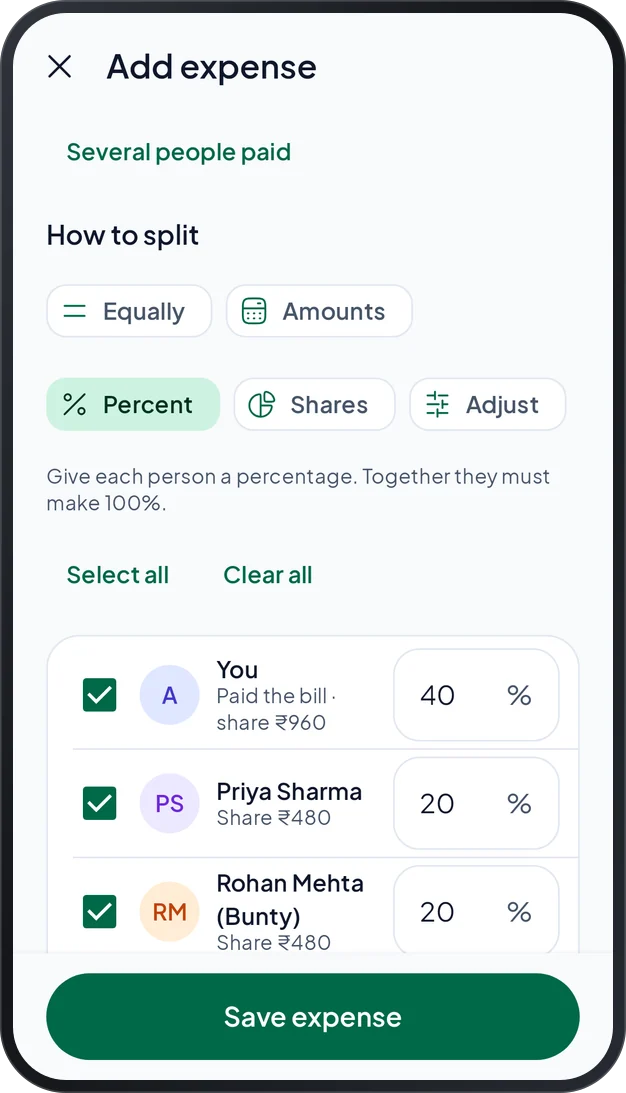
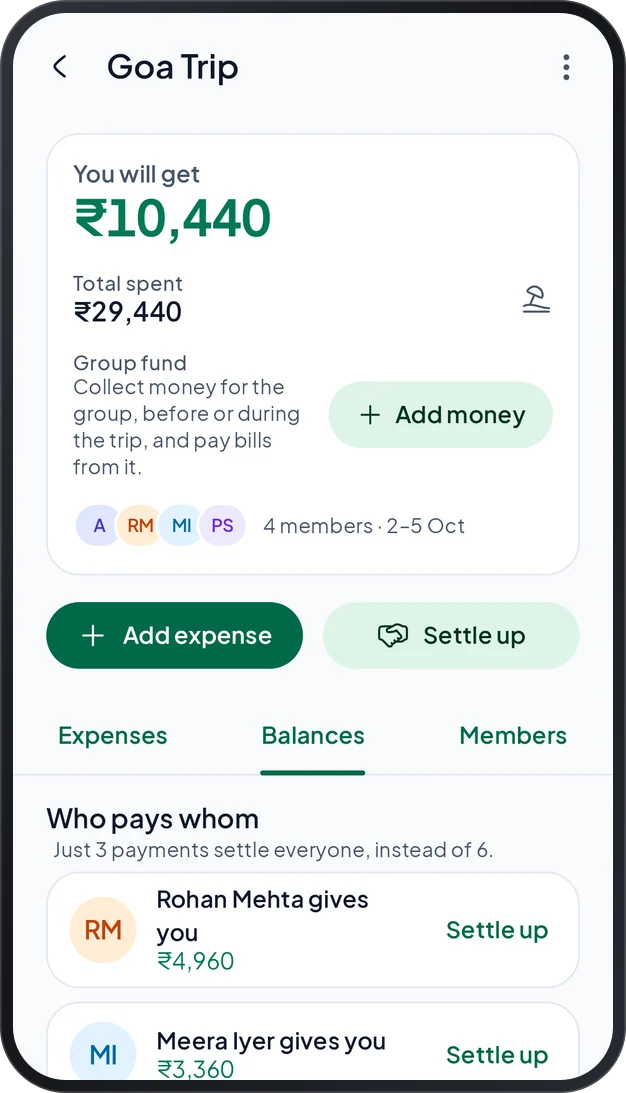
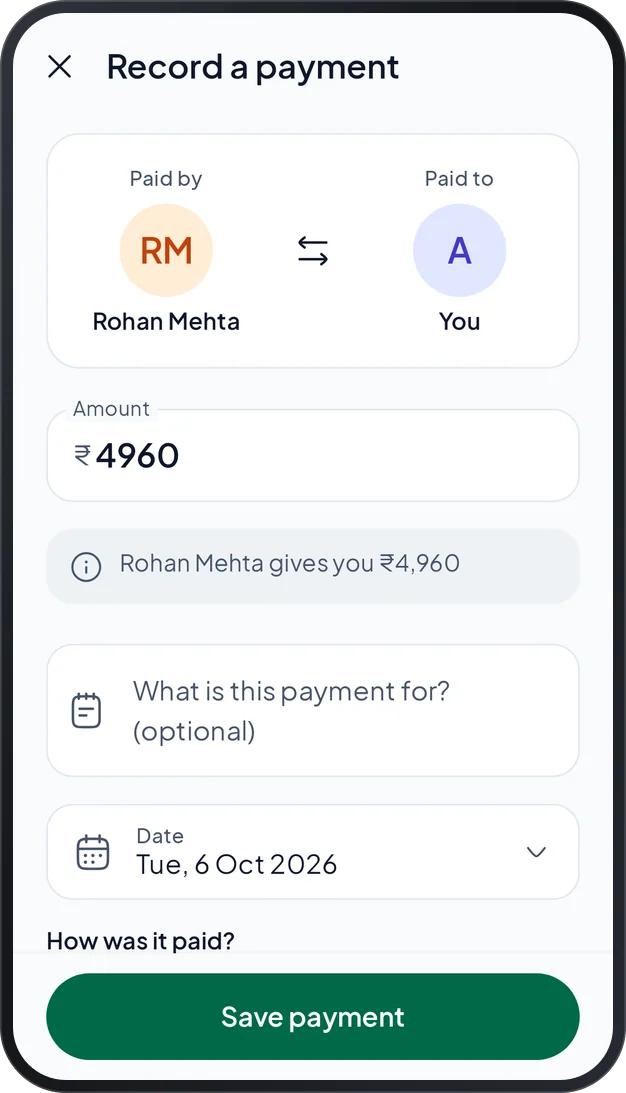
The Add expense screen, with five ways to split: equally, by amounts, by percent, by shares or adjust A trip group called Goa Trip: what you will get, the total spent and who pays whom Recording a payment: who paid, who received the money and the amount

Real screens of the app. The names and amounts are made up for these pictures.

5ways to split a bill
6ways to word who owes whom
3languages for WhatsApp summaries
0ads or analytics

What you get

Everything to split a bill,
and settle it.

Add an expense in a few taps, keep every group together, and record each payment until every balance is zero.

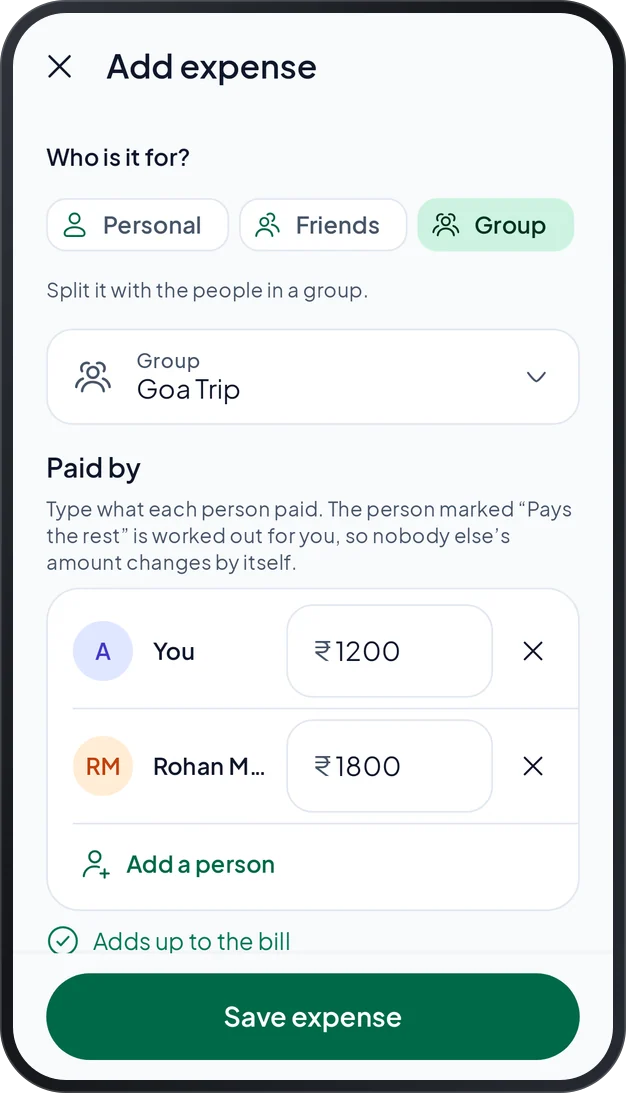
An expense in a group that two people paid, with a check that the amounts add up to the bill

01 · Expenses

Split it equally, or
any way you like.

Say who paid and who shares the bill, then split it the way that is fair. When several people paid one bill, type what each one put in.

  • Equally, by amounts, by percent or by shares
  • Adjust one person’s share up or down
  • A check tells you when the amounts do not add up
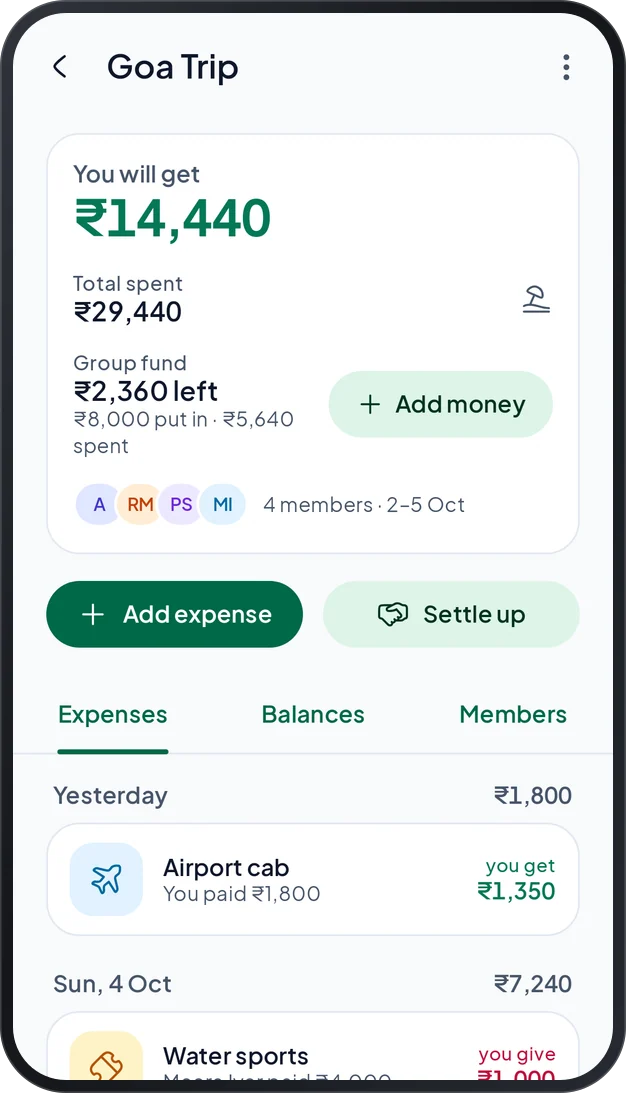
The Goa Trip group with its fund: what is left, what was put in and what was spent

02 · Groups

Keep every trip in
one place.

Make a group for a trip, your flat or an event. Everyone’s share is in one place, and the group shows the fewest payments that settle everyone.

  • A group fund: money in first, bills paid from it
  • See who pays whom, with as few payments as possible
  • Lock the group when the trip is over
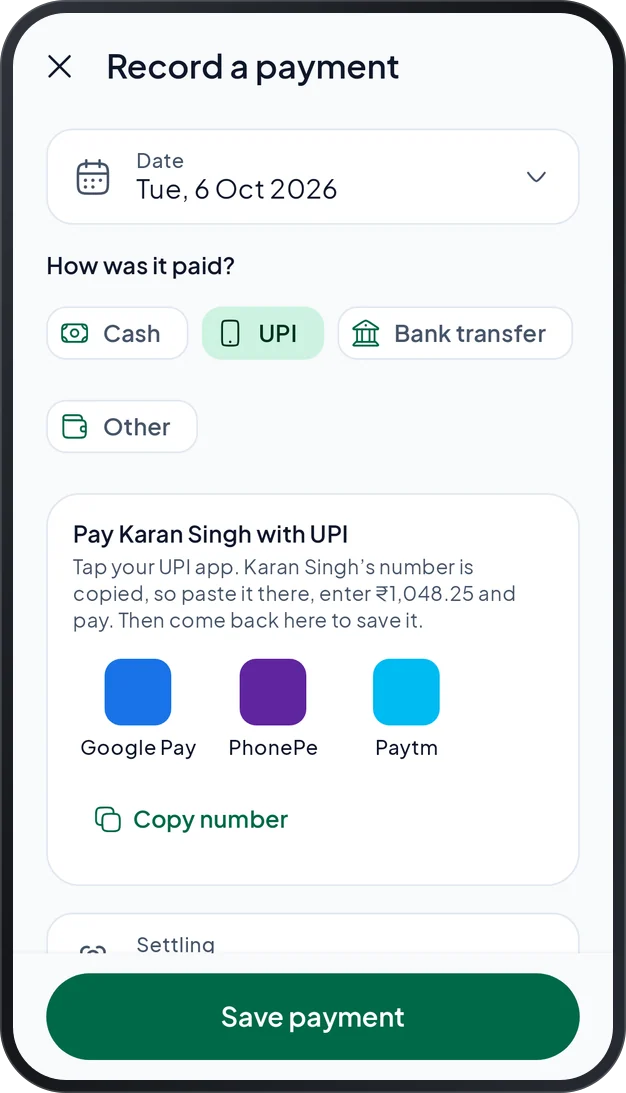
Recording a payment by UPI, with buttons to open Google Pay, PhonePe or Paytm

03 · Settle up

Pay in your own UPI app,
then record it.

Cute Split keeps the record and never moves money. Tap your UPI app and it opens with your friend’s number copied. Paste it, pay with your own PIN, and come back to save the payment.

  • Cash, UPI or bank transfer
  • A friendly reminder, once a day for each friend
  • Write off a small amount nobody wants to chase
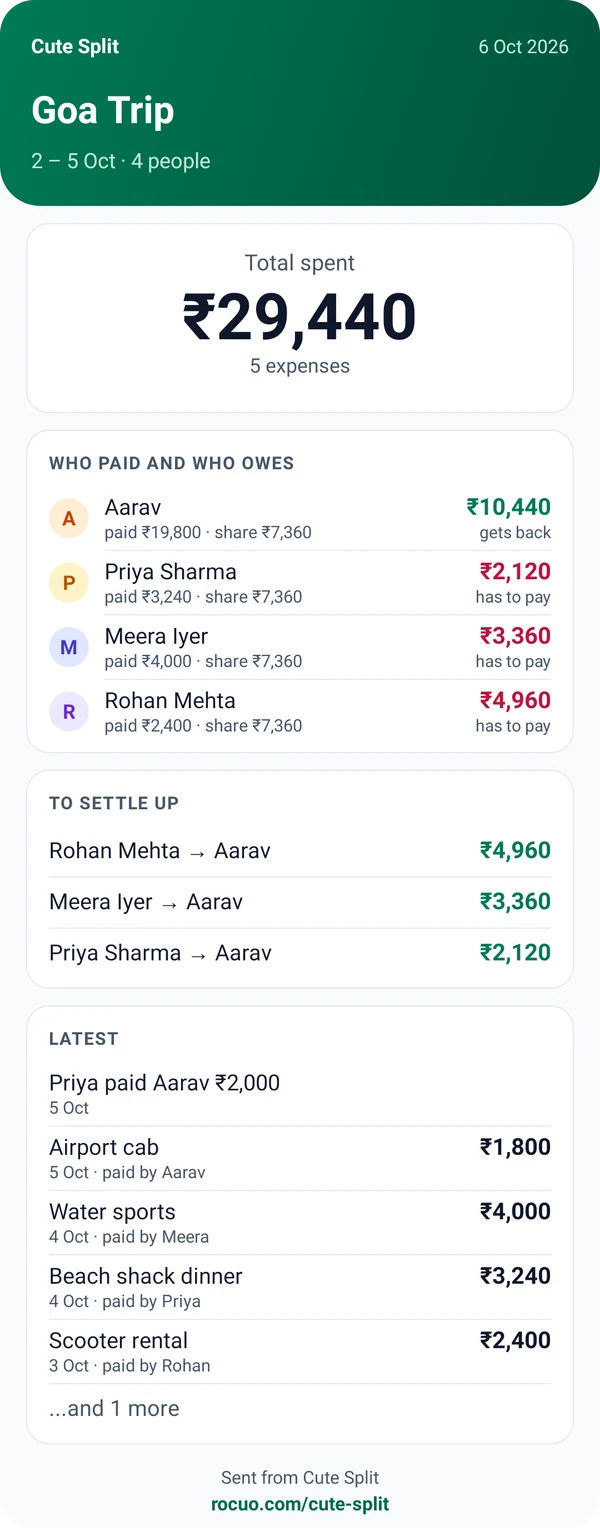
A summary picture of the Goa Trip group: the total spent, who paid and who owes, the payments that settle everyone and the latest expenses

04 · Share

Send a summary
on WhatsApp.

Share how a friend or a group stands, as a message or as a picture. Your friend does not need the app to read it.

  • In English, Hinglish or Hindi
  • Opens WhatsApp with the message ready, and you choose who gets it
  • Or share it with any other app

Who it is for

Made for the way friends
really share costs.

Trips, flats, couples and dinners all work a little differently. Cute Split fits each one.

Trips

Everyone paid for something, and nobody remembers what.

Put every bill in one group. Collect money in a group fund first if you like, and see the fewest payments that settle everyone at the end.

Flatmates

Rent, internet and the cook come back every month.

Set each monthly bill once. Cute Split adds it on the date you choose and splits it equally between the people who share it.

Couples

Small costs add up, and keeping score feels awkward.

Use a Couple group for what you share, and keep your own spending personal. See who is ahead, and settle up when you like.

Dinners and events

One person pays the whole bill, then chases everyone.

Split it equally, by amounts, by percent or by shares. When several people paid, type what each one paid, then share the summary on WhatsApp.

Make it yours

Your words,
your theme.

Choose how balances are worded and whether the app is light or dark. Only the words change, never the amounts.

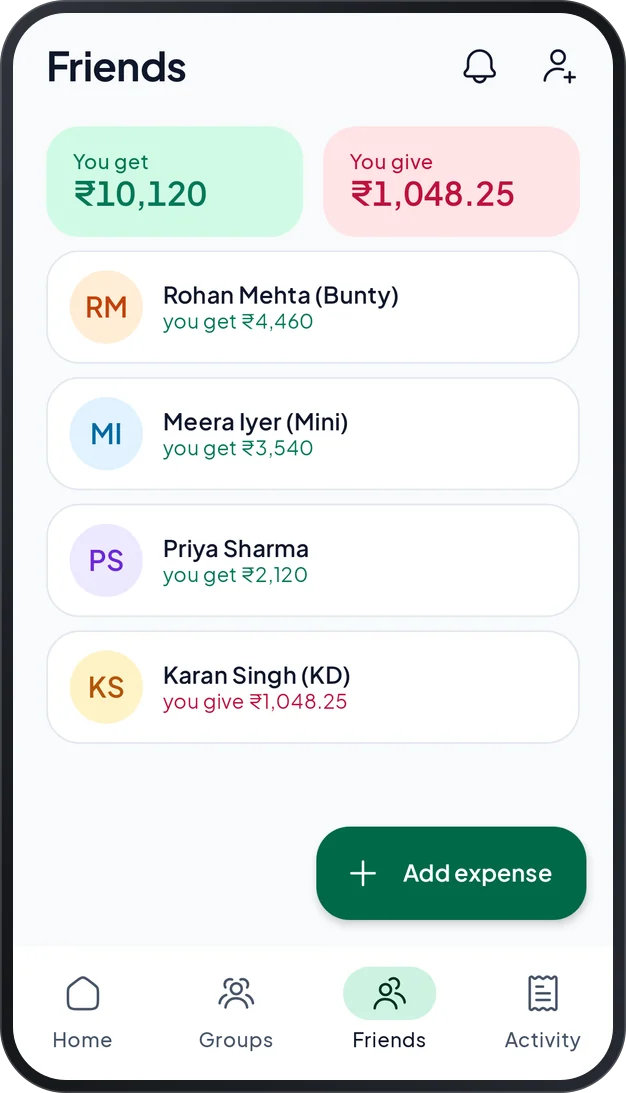
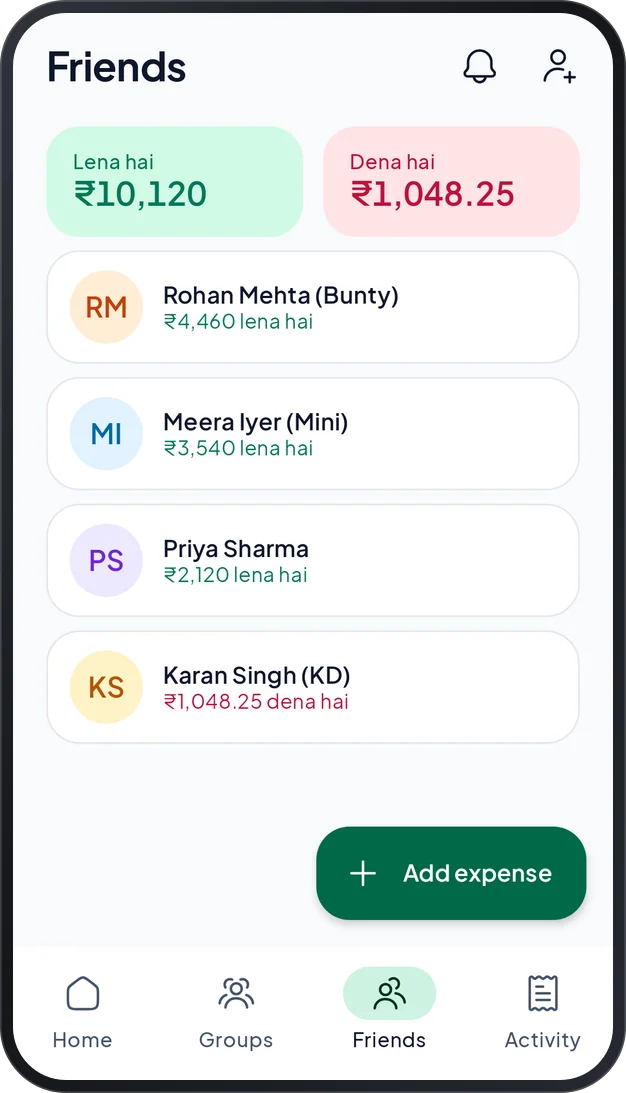
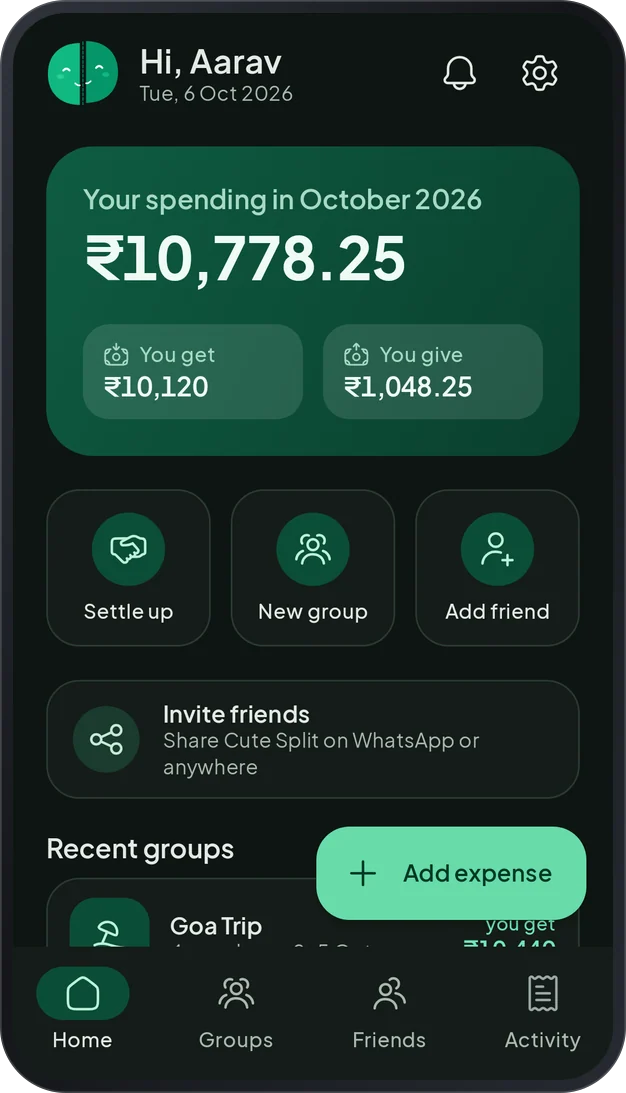
The Friends tab: what you get, what you give and your balance with each friend The same Friends tab with the words Lena hai and Dena hai The home screen in the dark theme

Six wordings, from Get and Give to Lena hai and Dena hai, or in Hindi letters. You can also change the currency symbol, add your own categories and pick the light or dark theme.

Private by design

Your bills are between
you and your friends.

Cute Split has no ads and no analytics. It never asks for your location, your camera or your messages, and it never uploads your contact list.

Only you and the people you split with can see your data. You can delete your account whenever you like, in the app or on the website.

Read the privacy policy

Ads
None
Analytics
None
Your contact list
Never uploaded
Sign-in
Your mobile number and a code. No password.
Your account
Delete it in the app, or on the website

How it works

Up and running
in a minute.

Sign in, start a group and add what was spent. Then you always know who owes whom.

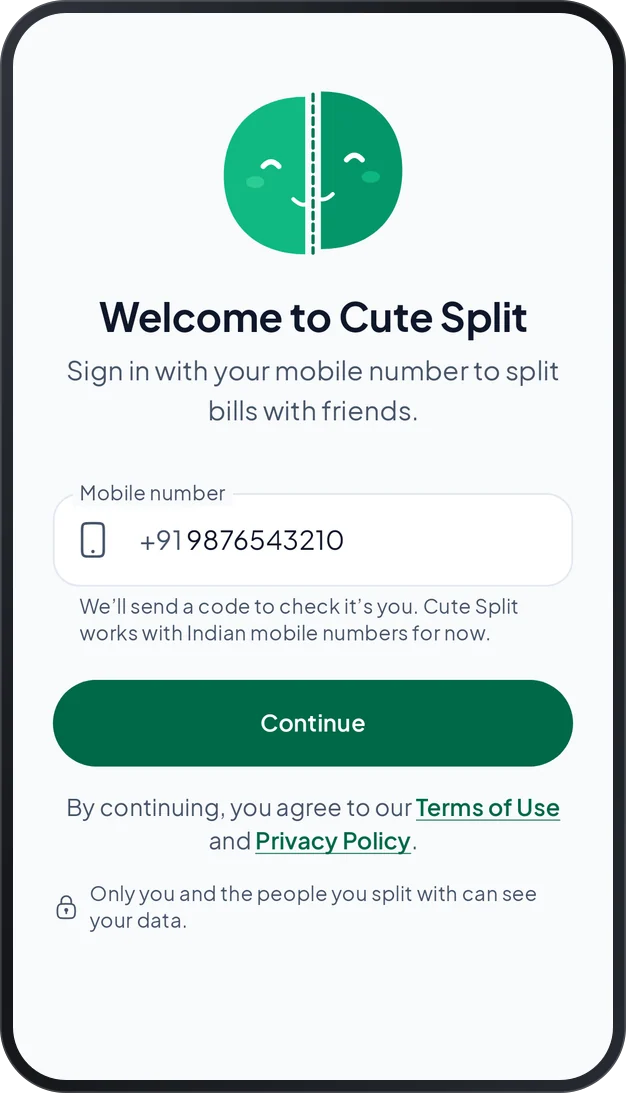
  1. The sign-in screen: a mobile number field and a Continue button
    1

    Sign in with your number

    Install Cute Split and type your Indian mobile number. A 6-digit code arrives on WhatsApp or by text message. There is no password.

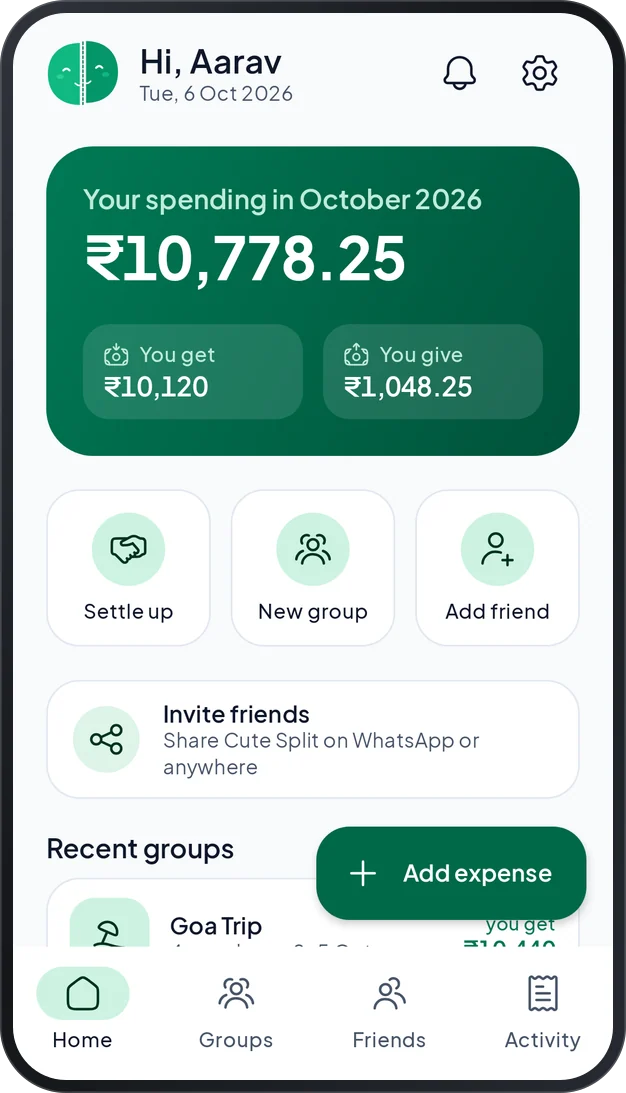
  2. The home screen: what you spent this month, what you get and give, quick actions and recent groups
    2

    Add friends and a group

    Add the people you share costs with, and make a group for a trip, your flat or an event. You can add a friend by name, with or without a number.

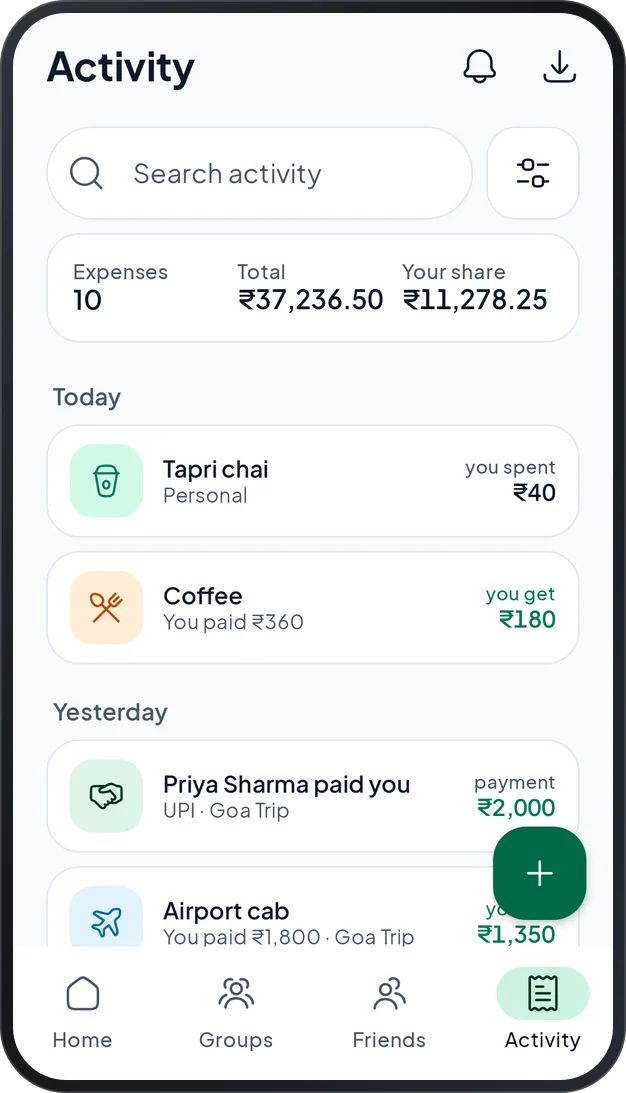
  3. The Activity tab with search, filters, totals and every expense and payment, newest first
    3

    Add expenses, then settle up

    Add what was spent and choose who shares it. When someone pays you back, record the payment. Every balance updates at once.

Questions

Questions people ask,
answered simply.

Short answers to the things we hear most. If yours is not here, the support page can help.

Who can use Cute Split?

Cute Split is for people aged 18 and over, on an Android phone with Android 7.0 or newer. For now, you sign in with an Indian mobile number.

Do my friends need the app?

No. You can add a friend by name and use the app on your own. If you add their mobile number, they see what you share as soon as they join Cute Split and accept your invitation. You can also send a summary on WhatsApp, and nobody needs the app to read it.

Does Cute Split move my money?

No. Cute Split only keeps the record. You pay with cash, UPI or your bank, then record the payment in the app. The UPI help opens your own UPI app and copies your friend’s number, so you pay there with your own PIN. Cute Split never sees your PIN.

How does sign-in work?

Type your mobile number and Cute Split sends you a 6-digit code on WhatsApp or by text message. There is no password to remember.

Does it work without internet?

Yes, once you have signed in. Everything is saved on your phone first and sent when you are online again. Your friends see your changes once they are sent.

Who can see my expenses?

Only you and the people you split with. An expense that is only yours stays yours. You can also let chosen people look at one expense, and they cannot change it.

Can I use another currency?

The rupee is the default. You can change the symbol to the US dollar, euro, pound, UAE dirham, Singapore dollar, Australian dollar or Canadian dollar. Amounts are not converted.

How do I delete my account?

In the app, open Settings and tap Delete my account. You can also do it on the delete account page of this website, without the app. We send a code to your number first. What you shared with other people stays for them, with your name shown as Deleted user.

Where can I get help?

The support page has quick fixes for the most common problems, and the guide explains every screen. If they do not help, you can write to us from the support page.

Let Cute Split
do the counting.

Start a group for the trip, the flat or the dinner, add what was spent, and see who owes whom right away.

Coming soon to Google Play

No ads · No analytics · Android 7.0 or newer