


The first release
Remote Files Browser turns a plain web folder list into a clean file manager in Chrome. It needs Chrome 110 or newer.
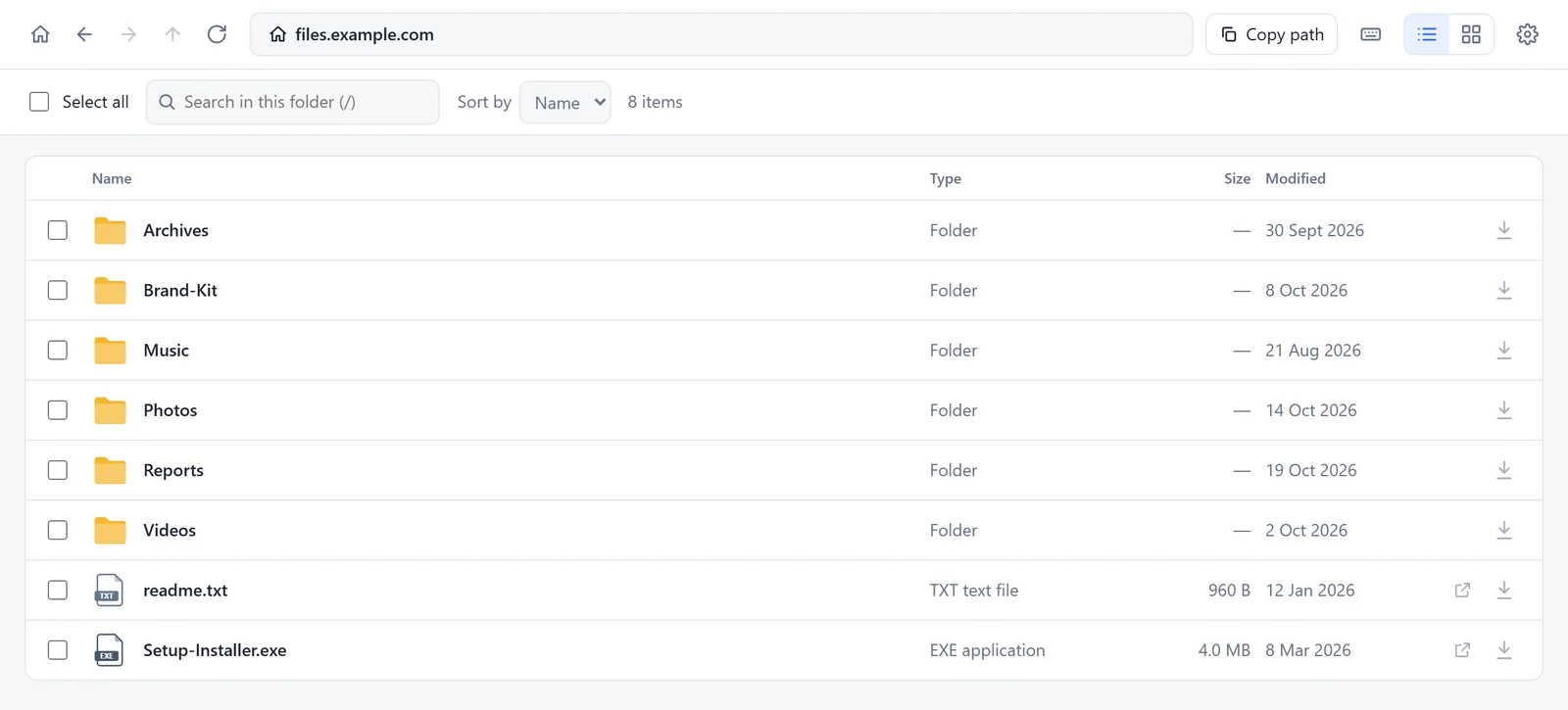
What you get
- A clean file manager for the folder lists that web servers show, often titled Index of. It reads Apache, nginx, lighttpd, Python's http.server, WebDAV and similar servers. See the full guide.
- List and grid view. The grid shows a preview of each picture. Search the folder and sort by name, type, size or date.
- Downloads of one file, of selected items, or of a whole folder. Save a folder into a place you choose, or as one ZIP file. Nothing is overwritten.
- Your connections: the addresses you open are saved on your device, up to 12. Give each one a name and edit its address.
- Folders with an index.html are still listed. The page is read as plain text and never run.
- The blue bar on web pages that are folder lists. It says Open this path in Remote Files. You choose where it appears.
- Light and dark mode, and keyboard shortcuts for everything. Press ? to see them.
Privacy
- Three permissions: downloads, storage and scripting. Website access is optional and asked one website at a time.
- No account, no server of ours, no ads and no tracking.
- The privacy policy has the details.
Good to know
- Sites that need a login work only if you are already signed in, in the same Chrome profile.
- A ZIP file is built in your browser's memory. For folders of several gigabytes, choose Save into a folder.