

- Rocuo
- Remote Files Browser FTP
- Helper program

The helper program for
FTP, FTPS and SFTP.
Chrome does not let an extension open an FTP, FTPS or SFTP connection. This small program does it for the extension, on your own computer. It is free and open source.
Download
Remote Files Browser FTP 1.1.0 and newer need this program to open FTP, FTPS and SFTP servers. Web folders, WebDAV and folders of your computer work without it.
Helper version 1.0.0, 6.8 MB. This is the file that has been run and tested. For another computer, choose a file from the table.
| Computer | File | Size | State |
|---|---|---|---|
| Windows, a normal PC (64-bit) | rocuo-files-helper-windows-amd64.exe | 6.8 MB | Built, run and tested |
| Windows on ARM | rocuo-files-helper-windows-arm64.exe | 6.2 MB | Built, not run yet |
| Mac, Apple chip | rocuo-files-helper-darwin-arm64 | 6.2 MB | Built, not run yet |
| Mac, Intel chip | rocuo-files-helper-darwin-amd64 | 6.7 MB | Built, not run yet |
| Linux, a normal PC (64-bit) | rocuo-files-helper-linux-amd64 | 6.5 MB | Built, not run yet |
| Linux on ARM | rocuo-files-helper-linux-arm64 | 6.1 MB | Built, not run yet |
Good to know: only the Windows 64-bit file has been run and tested, with the extension in a real Chrome and with a real FTP server. The other files are built from the same source, but nobody has run them yet. If you try one, we would like to hear how it went.
Windows may warn you. The helper is not signed yet, so Windows SmartScreen may say it does not know the file. That is normal for a small new program. Check the file first. If the numbers match and you want to go on, choose More info and then Run anyway. On a Mac, the same kind of warning can appear.
Install it
The set-up takes about a minute. It needs no administrator, and Chrome needs no restart.
Download the file for your computer from the table above.
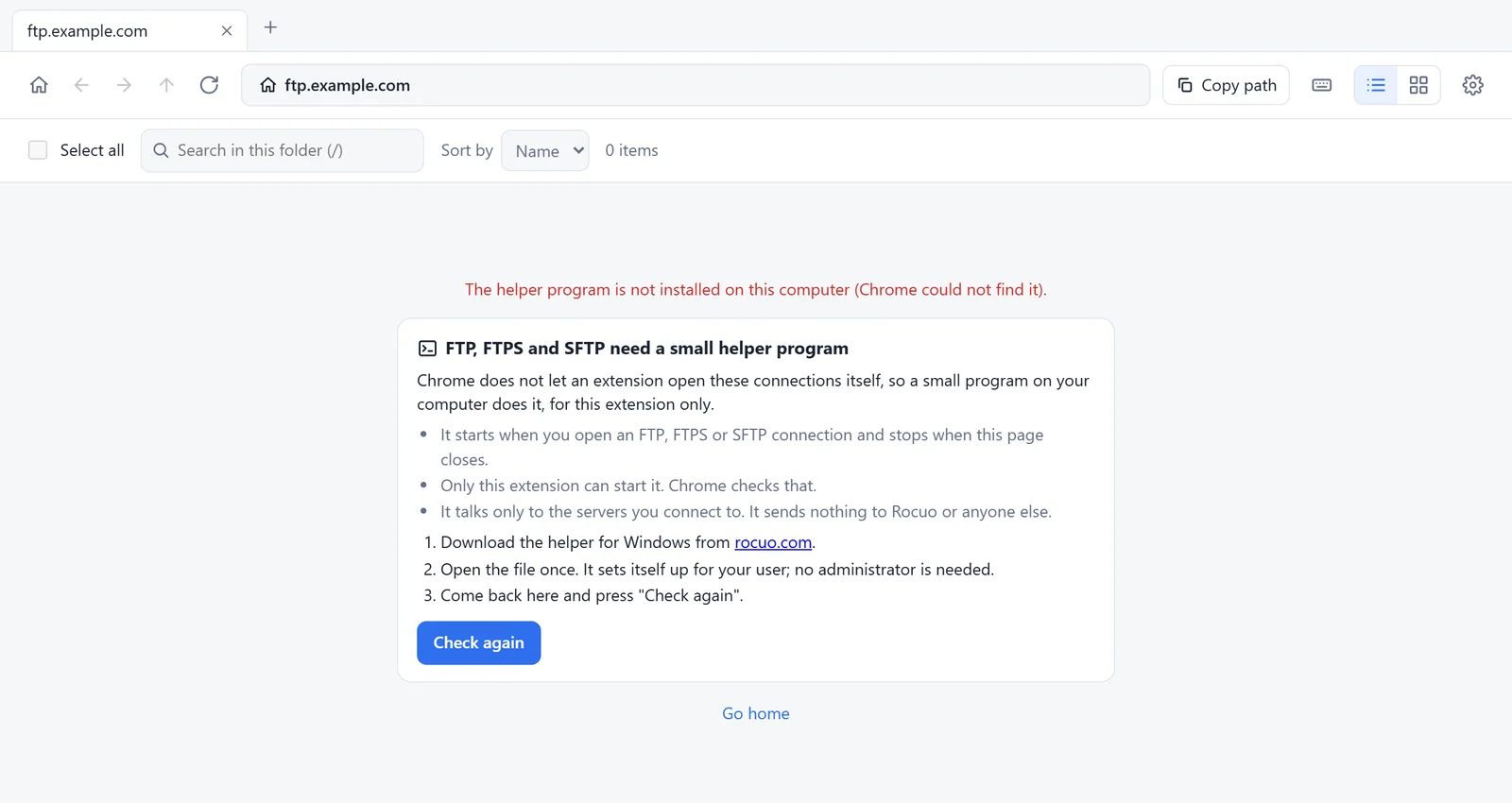
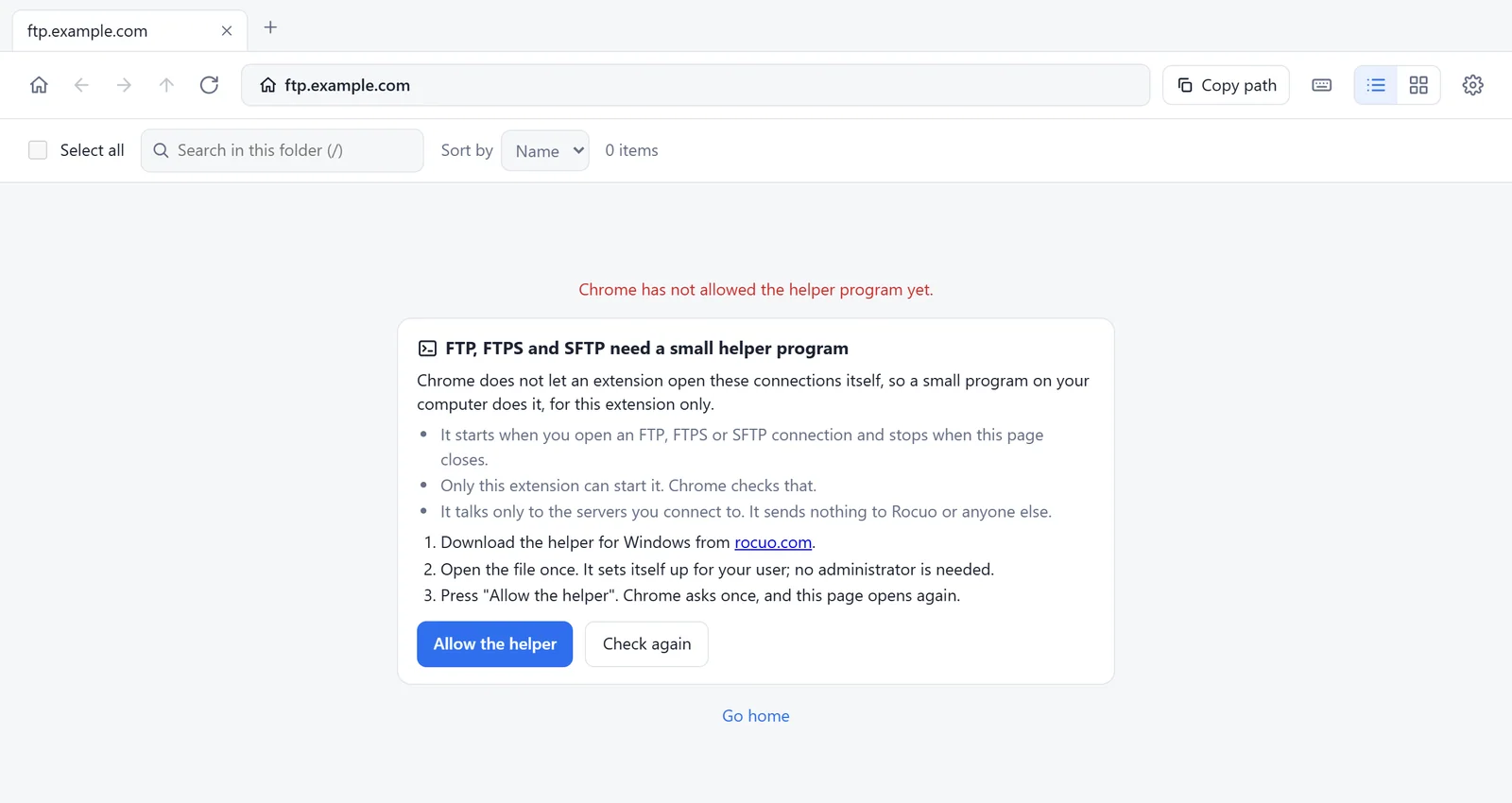
Open it once. On Windows, double-click it. A message says The helper is installed and shows where. It copies itself to a folder of your own user,
%LOCALAPPDATA%\Rocuo\RemoteFilesHelper, and tells Chrome where it is. After that you can delete the file you downloaded.Go back to the extension. Press Check again, and Allow the helper if you see that button. Chrome asks once. The page then opens again by itself, and your tabs stay.
Open your server. Press New connection, choose FTP, FTPS or SFTP, and type the address.
Mac and Linux
First allow the file to run, for example chmod +x rocuo-files-helper-darwin-arm64 (use the name of your file). Then run it in a terminal with the word install, for example ./rocuo-files-helper-darwin-arm64 install. It prints what it did. These two systems have not been run yet, so treat them as a test.
Other browsers
The set-up also tells Edge, Brave and Chromium where the helper is. Remote Files Browser FTP has been tested in Chrome only.
Updates
The helper never updates itself and never looks for updates. If a newer extension needs a newer helper, the extension tells you, and you download the new file here and open it once.
Check the file
Every file has a SHA-256 number, like a fingerprint. If the number of your file is the same as the one here, it is the file we made, and nothing changed on the way.
Windows: open PowerShell in the folder of the file and type
Get-FileHash .\rocuo-files-helper-windows-amd64.exe -Algorithm SHA256.Mac and Linux: open a terminal in the folder of the file and type
shasum -a 256 rocuo-files-helper-darwin-arm64(use the name of your file).Compare the number it shows with the one in the table below. They must be exactly the same.
| File | SHA-256 |
|---|---|
| rocuo-files-helper-windows-amd64.exe | ba82359105fd46cf1accd4f08bc0ba00dbde7318c67bd146aa310712fea9cd7c |
| rocuo-files-helper-windows-arm64.exe | b0ee6571bf04499b3779ee351d9e05e4a741f9e2b8771838c9de6912a91b740b |
| rocuo-files-helper-darwin-arm64 | ae1fead038b9a177e6237a445060e02d2fcbf980a0c3c14440dc357438cf94c5 |
| rocuo-files-helper-darwin-amd64 | fa4c7ce5a90ca14f2de6c03dbc4d597f63d2a48d5eb851d53a3f5135d732efe1 |
| rocuo-files-helper-linux-amd64 | 8c3087d87378d6e6389a30ceaa0bcd5150eba1e85497cd0bcc38f7761b91e49d |
| rocuo-files-helper-linux-arm64 | 0c0709392539df8950511deadb848dc7035ab3e819442e64fef148fb16969ff0 |
| rocuo-files-helper-1.0.0-source.zip | e33584cac1532b55fa2a3a975b30569a261ed0a103a9a7906fa43fedd80517ee |
The same numbers are in one text file: SHA256SUMS.txt.
How it stays safe
The helper is small on purpose, and it does only one job: it connects the extension to a server that you chose.
- Only Remote Files Browser FTP can start it. Chrome checks that, not the helper.
- It starts when you open an FTP, FTPS or SFTP place, and it stops when the page closes. It is not a service, and it does not start with your computer.
- It listens on no port. It connects out to the server you typed, and to no one else.
- It sends nothing to Rocuo: no statistics, no update checks and no account.
- It never decides about trust by itself. A new or changed certificate or SSH host key goes back to you, with its fingerprint, and you choose.
- It keeps a password in memory for that one connection and writes it nowhere. A password that the extension saves for you is encrypted by the extension.
- It writes only its own copy and its registration, in the folders of your own user.
Remove it
You can take the helper off your computer at any time. Nothing else on the computer is changed.
Windows: press Win+R, paste
"%LOCALAPPDATA%\Rocuo\RemoteFilesHelper\rocuo-files-helper.exe" uninstalland press Enter. A message says The helper is removed. If a file with.old-and a number in its name stays in the folder, delete it by hand.Mac and Linux: run the same file with the word
uninstall, for example./rocuo-files-helper-darwin-arm64 uninstall.In the extension: open Settings and choose Remove the permission. This takes back the permission that Chrome gave.
Source and licence
The helper is open source, under the MIT licence. Anyone may read it, build it and change it.
Download the source (ZIP, 85 KB)
- The ZIP holds the whole helper: the code in Go, its tests and test servers, and documents on how it works, how to install and build it, and how to report a problem.
- To build it yourself you need Go 1.26 or newer. Run
node build.mjs(this needs Node.js too) to make the files for Windows, Mac and Linux, orgo buildfor your own computer. - The two Windows files here were made that way. A build of the Windows files from the ZIP gave the same SHA-256 numbers as the files here (checked on 28 October 2026 with Go 1.27.0). The Mac and Linux files were built the same way, but this was not checked for them.
- The libraries it uses have their own licences. They are listed in
THIRD_PARTY_NOTICES.mdin the ZIP. - To report a security problem, read
SECURITY.mdin the ZIP and then write to us. Please do not send passwords or private files.
Need help?
Most problems are that the helper is not found, not allowed yet, or too old. The extension says which one, and what to press.
Open the help and support page for quick fixes, or write to info@rocuo.com. Please tell us your computer, your Chrome version and what you saw. Do not send passwords or private addresses.